Before discussing Mach3, let us briefly summarize the history of the creation of numerical control and the application of G-code.
The principle of numerical control with G-code (or ISO code)
With the emergence of computerized numerical control, the Massachusetts Institute of Technology (MIT) in the USA developed G-code in the 1950s, which became the most widely used programming language in the world of numerical control.
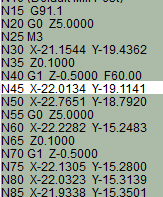 ISO code is primarily composed of G-code lines
More generally, ISO code, consisting of G-commands (as well as M, F, and S commands), allows you to instruct computer-controlled machines, such as milling machines, on what to do and how to do it. G-code commands are instructions indicating where to move, at what speed, and along which path, primarily using two methods: linear or circular interpolation.
Controlling your CNC machine with Mach3
It is possible to create a fully customizable interface by generating G-code, also through LazyCam or Wizards, in addition to customizing M-codes and macros using VBScript. MACH3 software also features spindle speed control, multiple relay control, video display, and manual pulse generation, with support for full-screen mode and touchscreens. This software is feature-rich and offers great value according to your numerical control software needs.
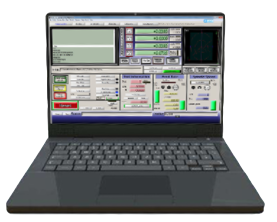 Mach3 turns your computer into a numerical control station
MACH3 runs on most Windows computers to control stepper motor movement using G-code. The required computer specifications are not very demanding, and it can run smoothly on older computers. Pentium, Dual Core, or Core 2 Duo microprocessors are sufficient to run this software. The MACH3 installation is simple and can operate in “demonstration mode” for testing until it is unlocked by a license file, which we offer on our website.
In summary, despite including several advanced features, it is the most intuitive CNC control software available for milling machines. This is why our milling machines are compatible with MACH3.